
6 MIN READ
Friday, March 13, 2026


Michael Skelly
Founder, Stacker
If you have ever searched for how to create a portal, you know the results are all over the place. Gaming portals teleport players between worlds, physics portals appear in thought experiments about spacetime, and web portals provide secure access to people's data. They share a name but solve completely different problems.
This guide breaks down what each type of portal actually is, then walks you through the one you can build today: a secure web portal that lets customers, students, or partners log in and manage their information without constant back-and-forth with your team.
TLDR:
You can build web portals without code using no-code tools, cutting development time from months to days
Business portals deliver measurable ROI: 88% of customers expect self-service options, and revenue rises 10-15%
Role-based permissions let you securely share data with customers, vendors, or students while protecting sensitive info
Stacker builds custom portals through an AI-powered no-code tool with a built-in database and granular permissions
Understanding Different Types of Portals
When you search for how to create a portal, results fall into three categories: gaming, theoretical physics, and web applications.
Gaming portals are in-game structures that transport players between dimensions. Minecraft players build nether portals with obsidian blocks or end portals using Eyes of Ender, following specific block patterns and recipes.
Theoretical portals investigate whether real-dimensional gateways or time travel are possible. Current physics doesn't support the creation of functional portals to other universes.
Web portals are business tools where users log in to access information. Student portals display grades, customer portals track orders, and client portals share project updates.
How to Create Portals in Minecraft
Nether Portal
You need 10 obsidian blocks arranged in a rectangular frame (4 blocks tall, 5 blocks wide, with corners optional). Gather obsidian by pouring water over lava source blocks, then mining with a diamond pickaxe. Place the blocks in a standing rectangle and ignite the interior with flint and steel.
In survival mode without a diamond pickaxe, create a lava-and-water mold. Build a frame shape from dirt or cobblestone, pour lava into it, then add water to turn it into obsidian.
End Portal
End portals can't be crafted in survival mode. You find them in strongholds by throwing Eyes of Ender, which fly toward the nearest stronghold. The portal frame needs 12 Eyes of Ender placed in each frame block.
The Science Behind Real-Life Portals
Real portals connecting different points in space would require manipulating spacetime itself. Theoretical physicists describe wormholes as tunnels through spacetime that could theoretically link distant locations or even different times. Einstein's general relativity equations allow for these structures mathematically.
Creating a functional wormhole would need exotic matter with negative energy density to keep the tunnel stable and prevent it from collapsing. No known materials have these properties. You'd also need energy levels far beyond anything humans can generate.
Current physics doesn't provide a blueprint for building dimensional portals. While the math suggests wormholes could exist somewhere in the universe, creating one requires tech and resources that don't yet exist.
The short answer: you can't create a portal to another dimension or a time travel gateway with today's science. What you can build are digital portals that connect people to information.
What Are Web Portals and Why Businesses Need Them
A web portal is a secure website where specific users log in to view information relevant to them. Unlike public websites that show the same content to everyone, portals deliver personalized experiences based on who's logged in.
Businesses build portals to give customers, partners, or employees direct access to their data without constant back-and-forth. Instead of emailing invoices or manually updating spreadsheets, you create a single hub where people can check order status, submit requests, or download documents themselves.
The numbers back this up: 88% of customers expect companies to provide self-service options. When you don't offer a portal, you're fielding repetitive questions that eat up team time. A customer portal lets people find answers independently, which frees your staff for higher-value work.
Portals also improve data accuracy. When clients update their own information through a form, you avoid transcription errors from phone calls or email exchanges. Everyone works from the same source, updated in real time.
Types of Business Portals You Can Build
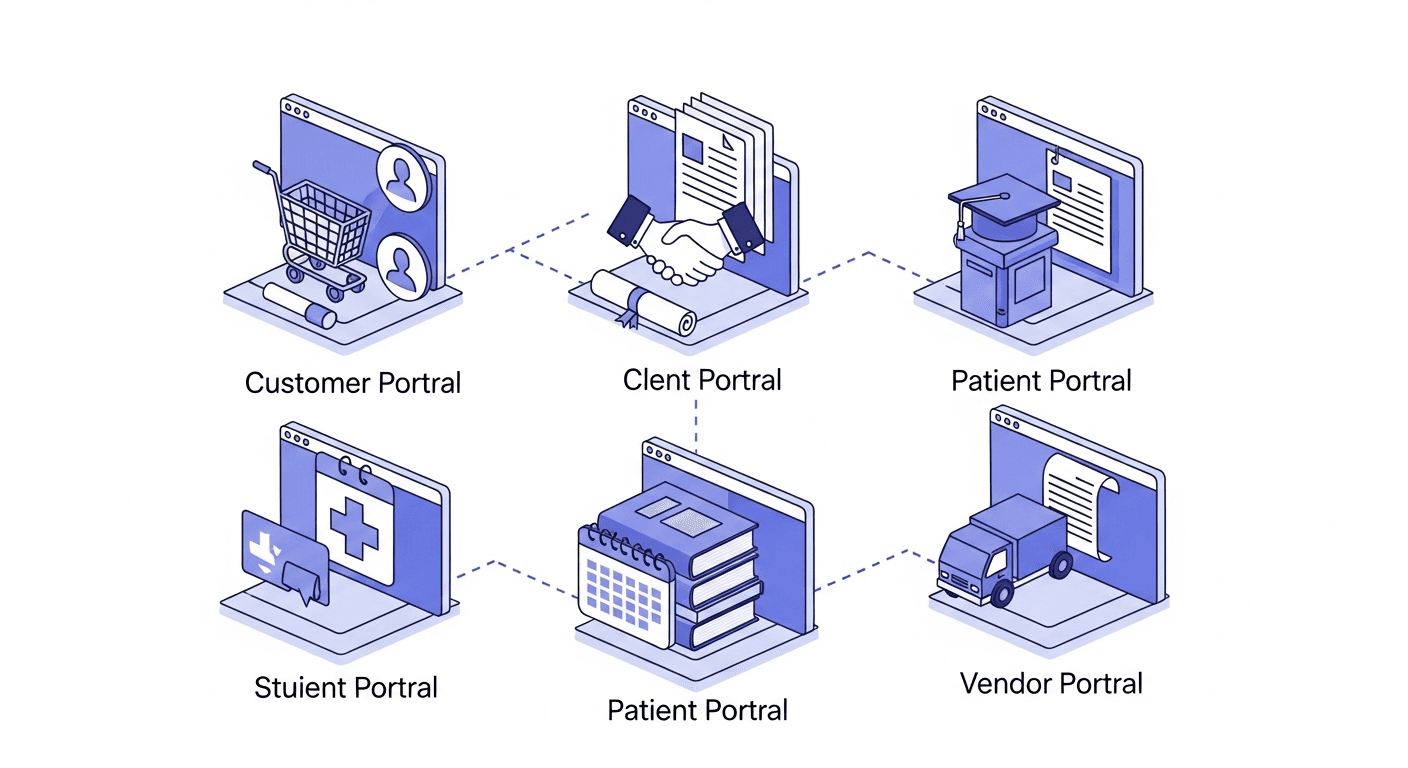
Customer portals give buyers access to purchase history, order tracking, invoices, and support tickets. E-commerce companies use these to cut support volume as customers check shipment status or download receipts themselves.
Client portals serve businesses with ongoing service relationships. Agencies share project timelines, consultants post reports, and service providers collect client requests. Unlike customer portals, these handle collaborative workflows beyond transactional data.
Student portals let learners access grades, assignments, schedules, and course materials. Parents often receive separate credentials to monitor academic progress and communicate with teachers.
Patient portals handle appointment scheduling, test results, prescription refills, and medical records. These require HIPAA compliance to protect health information.
Vendor portals let suppliers submit invoices, update inventory, and view assigned purchase orders.
Portal Type | Primary Users | Key Features | Common Use Cases | Compliance Considerations |
|---|---|---|---|---|
Customer Portal | Buyers and end customers | Purchase history, order tracking, invoice downloads, support ticket management, and self-service account updates | E-commerce order status, receipt downloads, tracking shipments, and reducing support volume for transactional queries | PCI DSS for payment data, general data privacy regulations |
Client Portal | Service clients and ongoing business partners | Project timelines, shared reports, collaborative workflows, request submission, and document sharing | Agency project updates, consultant reports, service provider communication, and ongoing relationship management | Industry-specific requirements based on service type, data confidentiality agreements |
Student Portal | Students, parents, and guardians | Grade access, assignment tracking, attendance records, class schedules, course materials, and school announcements | Academic progress monitoring, parent-teacher communication, assignment submission, and schedule management | FERPA protections for educational records, student privacy requirements |
Patient Portal | Patients and authorized caregivers | Appointment scheduling, test results access, prescription refills, medical record viewing, secure messaging | Healthcare appointment management, lab result delivery, medication management, and patient-provider communication | HIPAA compliance is mandatory for health information protection |
Vendor Portal | Suppliers and business vendors | Invoice submission, inventory updates, purchase order viewing, payment tracking, product catalog management | Supply chain management, procurement workflows, vendor relationship management, and invoice processing | Contract compliance, financial data security, and vendor agreement terms |
Key Features Every Web Portal Should Include
Every portal needs secure authentication so users can log in with credentials and access only their data. Password requirements, two-factor authentication, and session timeouts protect sensitive information from unauthorized access.
Role-based permissions control what different user types can see and do. An admin might edit all records, while a customer can view only their own orders. Field-level permissions hide sensitive data, such as pricing, from certain roles.
Self-service functionality is the reason portals exist. Users should update their profiles, submit forms, download files, and check statuses without contacting your team.
Mobile responsiveness matters because people access portals from phones. The interface should adapt to different screen sizes so forms, tables, and dashboards remain usable on any device.
Search and filtering help users quickly find specific records. No one should scroll through hundreds of entries to find a single invoice or assignment.
Building a Web Portal: Traditional Development vs. No-Code Approaches
Traditional development requires programmers to write custom code in languages like Python, PHP, or JavaScript. Developers build the database, backend logic, and frontend interface from scratch. This approach offers full control but demands months of work, ongoing maintenance, and technical expertise for every change.
No-code tools let non-technical users build portals through visual editors and pre-built components. You design forms, set up data structures, and configure permissions by clicking instead of coding. Changes happen in minutes instead of waiting for developer availability. 70% of new apps will use no-code or low-code tech by 2026. The speed advantage matters when requirements change frequently.
How to Create a Student Portal for Your School
Start by defining what data students and parents need to access: grades, assignments, attendance records, class schedules, and school announcements. Decide whether parents need separate logins or shared credentials with their children.
Choose between traditional development (hiring programmers to build a custom portal) or using a no-code tool where you set up data tables for students, courses, grades, and assignments without writing code. No-code approaches let school administrators make changes directly, without waiting for developer updates.
Set up role-based permissions so students see only their own records, teachers access their class rosters, and parents view their children's information.
How to Create a Customer Portal That Drives Engagement
Start by identifying what information customers request most frequently. Review your support tickets to find patterns: order status, tracking numbers, invoice downloads, or account details. Build your portal around these common needs so customers can self-serve versus contacting your team.
Design the portal to show customers only their relevant data. When someone logs in, they should see their orders, invoices, and tickets immediately, without having to search through unrelated information. Personalized dashboards reduce friction and encourage regular use.
Add features that give customers control over their relationship with you. Let them update delivery locations, manage payment methods, download documents, and track order progress in real time. The more tasks they can complete independently, the more engaged they become with the portal.
Businesses that build effective customer portals see measurable financial impact, with revenue rising 10% to 15% when customers can access information and complete tasks themselves. Self-service reduces support volume while improving satisfaction, as customers get instant answers versus waiting for email responses.
Building Secure Portals: Permissions, Authentication, and Data Protection
Role-based permissions separate what different users can access. Administrators manage all data while customers view only their records. Set permissions at the table and field levels so sensitive information, such as pricing or medical details, remains hidden from unauthorized users.
Strong authentication protects portal access. Require complex passwords with a minimum length and a diverse character set. Add two-factor authentication to portals that handle financial or health data. Set session timeouts so that idle users automatically log out after a period of inactivity.
Data encryption protects information in transit and at rest. Use SSL/TLS certificates so data transmitted between browsers and servers stays encrypted. Compliance requirements vary by industry: patient portals must meet HIPAA standards, student portals must comply with FERPA, and payment processing must adhere to PCI DSS.
Building Your Portal with No-Code Tools
Stacker handles business portal use cases without requiring code. The AI builder generates an initial app from a prompt describing your needs, then you refine it through a visual editor.
The built-in database stores your portal data with relationships between records. You can also connect existing data from Airtable or Google Sheets if you're migrating from spreadsheets.
Role-based permissions let you set who sees what at the table and field level. External users, such as customers or vendors, get secure access to only their relevant information, while your team manages everything from the same app.
Organizations build portals for customers, clients, and vendors this way, often launching in days instead of months.
Final Thoughts on Making Portals Work
Building portals spans everything from gaming shortcuts to theoretical physics to practical business tools. Creating a web portal gives your customers or students direct access to their data without constant back-and-forth emails. Minecraft portals follow specific block patterns, dimensional gateways require impossible physics, but web portals just need clarity on what information your users actually need to see. Try Stacker by starting a free workspace.
FAQs
How long does it take to build a web portal with no-code tools?
Most teams can launch a working portal in days instead of months, with basic setup taking just a few hours using AI-assisted builders and pre-built components. Traditional development typically requires several months of programming time plus ongoing maintenance.
What's the difference between a customer portal and a client portal?
Customer portals focus on transactional data like order tracking, invoices, and support tickets for buyers, while client portals handle ongoing service relationships with collaborative workflows like project updates, reports, and request submissions. Both provide secure, personalized access to relevant information.
Can I connect my existing spreadsheet data to a portal?
Yes, you can import and sync data from existing sources like Airtable or Google Sheets to jump-start your portal without manually re-entering information. Two-way sync keeps changes updated in both systems so your team can continue working in familiar tools during the transition.
What permissions do I need for a portal with both internal staff and external users?
Set up role-based permissions that control access at both the table and field levels, allowing administrators to manage all data while external users, such as customers or vendors, see only their own records. You'll need to hide sensitive information, such as pricing or internal notes, from external users while giving your team full visibility.
Do I need to hire developers to make changes after my portal is built?
No, no-code portals let your team make updates through visual editors without writing code, so you can adjust forms, add data fields, or modify permissions as requirements change. This removes the bottleneck of waiting for developer availability for routine updates.




