
6 MIN READ
Wednesday, February 4, 2026

Michael Skelly
Founder, Stacker
When your sales pipeline lives in one spreadsheet, inventory tracking in another, and customer data in a third file that five people edit at once, your team spends more time fixing sheets than serving customers. Google Sheets app builders promise to turn that sprawl into real software, but they vary widely: some simply reskin spreadsheets, while others generate code your developers must maintain. This guide ranks the leading options based on whether they can support day-to-day business workflows or only spin up quick demos.
TLDR:
Spreadsheet-to-app builders convert Excel or Google Sheets into secure applications with permissions, views, and workflows, so you can move beyond fragile files.
AI-powered builders can create working apps in minutes instead of weeks of manual config or custom development.
Focus on tools that support both internal teams and external user portals, with clear role-based access controls.
Code generators leave you owning and maintaining code; managed tools keep infrastructure and reliability off your plate.
Stacker combines AI app generation with a visual no-code editor and a relational data layer designed for business apps.
What Are Spreadsheet-to-App Builders?
Spreadsheet-to-app builders convert data in Excel or Google Sheets into working business applications without code. Instead of juggling CSV exports and shared drives, you get apps with forms, dashboards, permissions, and automation on top of the data you already have.
The main benefit is moving from static files to software that can enforce rules, prevent conflicting edits, and give each audience a tailored view. Spreadsheets are fine for early-stage tracking, but they create risk as you grow: access is hard to manage, mistakes are easy to miss, and collaborating with customers or vendors is awkward.
These tools are built for non-technical users who need custom systems but do not plan to hire developers. If you currently manage client projects, inventory, or requests in shared sheets or no-code CRM systems, spreadsheet-to-app builders help you turn those workflows into structured apps with better data quality and access controls.
How We Ranked Spreadsheet-to-App Builders
We assessed each tool on six criteria that matter once your spreadsheet becomes core to how you work:
Data model strength
Can it support linked records and structured relationships, or is it limited to flat tables that are hard to scale?Internal and external users
Does it support both internal tools and secure portals for customers or vendors, with clear per-user access?AI-assisted building
Can it turn descriptions and existing sheets into apps quickly, and help you refine them through guided changes? By 2026, 78% of organizations have integrated AI into at least one business function, making AI-assisted app building a mainstream expectation versus an experimental feature.
Reliability for day-to-day use
Is it a managed environment suitable for production work, or a code generator that leaves reliability and hosting to your team?Business logic capabilities
Can it automate workflows, support calculated fields, and enforce rules that reflect your actual processes?Code vs no-code approach
Does it output code to maintain, or give you stable, hosted apps you configure visually?
Best Overall Spreadsheet-to-App Builder: Stacker
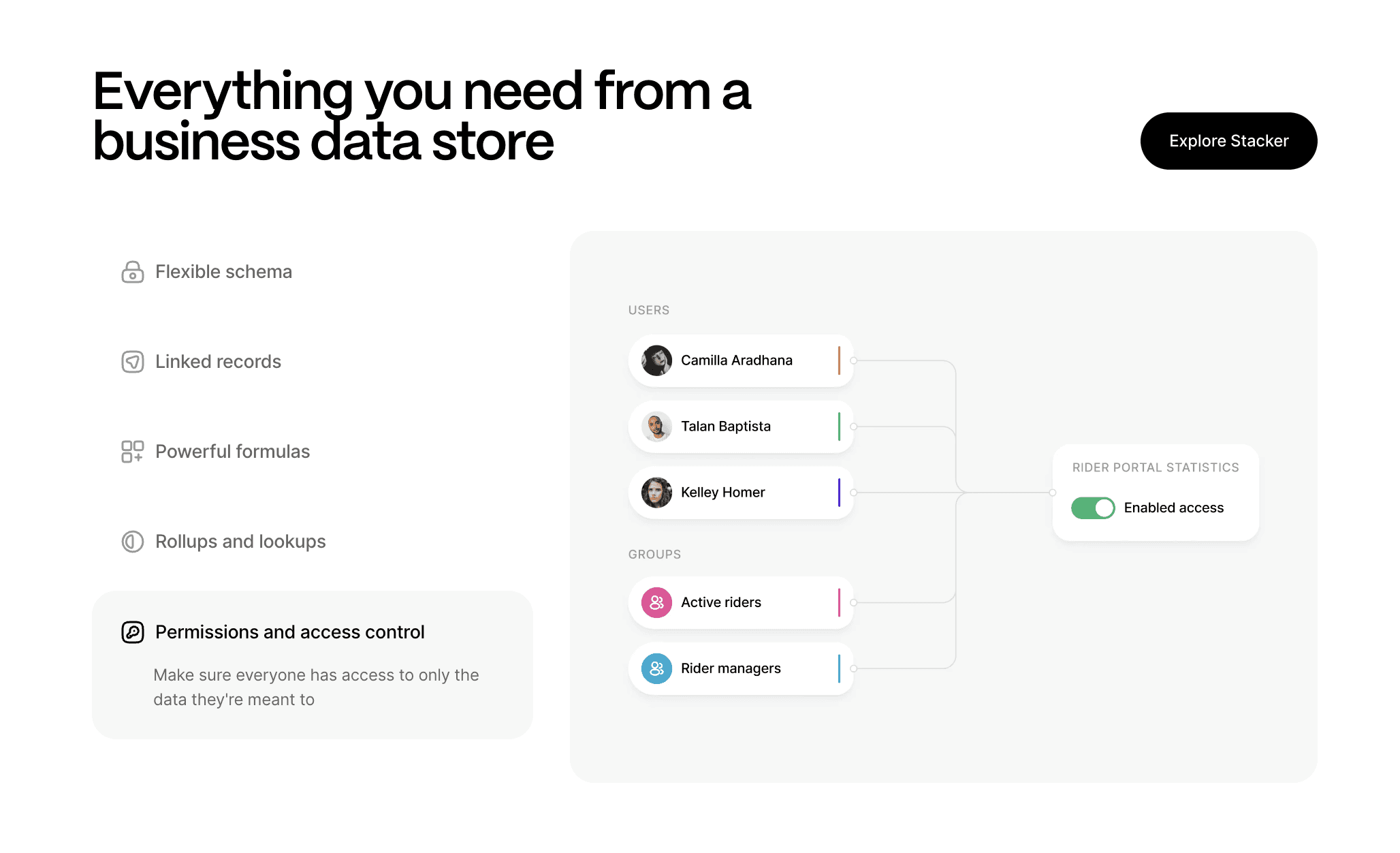
Stacker converts spreadsheet data into production-ready business apps that your team can rely on every day. The AI builder creates full apps from short text prompts and existing structures, then you adjust layouts, data models, and workflows in a visual editor, without engineering support.
What they offer:
AI builder that turns Google Sheets or Airtable data plus prompts into multi-page apps with lists, detail views, and forms in minutes.
A relational data layer and two-way sync with Airtable and Google Sheets, so you can keep data in spreadsheets, move to Stacker Tables, or mix both.
Role-based permissions and portal features that let teams, customers, and vendors use a single system with different views and access rules.
Good for: Operations, RevOps, and service teams that live in spreadsheets today and need a durable system for CRMs, portals, approvals, and process tracking without hiring developers.
Limitation: Teams that are completely new to modeling data and designing permissions may need a short planning phase to set up multi-entity apps correctly.
Bottom line: Stacker is the best fit when you want to move serious business workflows off spreadsheets into a managed, AI-assisted app that non-technical teams can own and evolve.
V0
V0 by Vercel is an AI-powered UI generator that creates React and Next.js components from prompts, aimed at developers who want help with front-end work. It focuses on high-quality React code that integrates into modern JavaScript stacks.
What they offer:
React and Next.js components generated from natural language descriptions, styled with Tailwind CSS and shadcn/ui.
Deep integration with GitHub and Vercel so developers can export components and deploy quickly.
Token-based pricing where each generated or refined component consumes credits.
Good for: Engineering teams with React experience that want to speed up UI design and plug AI-generated components into an existing app or internal framework.
Limitation: V0 covers only the front-end; developers still need to design and maintain backends, databases, auth, and deployments, which means it is not a full spreadsheet-to-app solution.
Bottom line: V0 is good for React developers who want faster UI work, but it does not provide non-technical teams with an end-to-end way to replace spreadsheet-based processes.
Lovable
Lovable is an AI app builder that creates full-stack web applications from prompts, including frontend, backend, and data storage. It targets developers and technical founders who want a complete, editable codebase generated quickly.
What they offer:
Full-stack code generation from text descriptions, covering UI, server logic, and database schema.
Built-in use of Supabase and similar services for data and authentication.
GitHub sync and deployment tooling that offers engineering teams the ability to manage, extend, and ship the generated project.
Good for: Technical founders and engineering teams that want rapid MVPs with full source code control and are comfortable debugging and extending AI-generated code.
Limitation: Apps require developer skills to fix and update; frequent changes may introduce complexity or new bugs, making this approach hard for operations teams without engineering support.
Bottom line: Lovable is a strong fit for developer-led projects but is not ideal for non-technical teams looking for a managed spreadsheet-to-app builder.
Airtable
Airtable is a spreadsheet database hybrid that gives teams a familiar grid with relational features, plus Interfaces and automations. It is a popular upgrade from Excel or Google Sheets for internal tracking.
What they offer:
Spreadsheet-style views with linked tables, formulas, and flexible layouts like Kanban and calendar.
Interface Designer to build internal dashboards and simple apps on top of the base.
Automations and AI assistance for tasks such as notifications, record updates, and simple workflows.
Good for: Teams that need better organization than plain spreadsheets and want to create internal views, without yet moving to a dedicated app builder.
Limitation: Interfaces sit on top of the core spreadsheet and were not built as a full app environment; portal features for external users exist, but can be limited and relatively costly per guest.
Bottom line: Airtable is a strong internal data tool and a natural first step beyond spreadsheets, but it is not the best choice when you need richer apps and portals for external audiences.
Softr
Softr is a no-code tool that lets you build sites, portals, and simple apps from Airtable, Google Sheets, and Softr’s own databases. It focuses on fast, visual setup with templates and blocks.
What they offer:
Templates for client portals, lists, directories, and internal tools connected to Airtable or Softr Databases.
Real-time sync with Airtable and Google Sheets, plus Softr’s native databases for better performance on certain workloads.
Drag-and-drop editor with blocks for lists, detail pages, authentication, and simple logic.
Good for: Makers and small teams that want to quickly turn existing spreadsheets into presentable websites or light portals with minimal configuration.
Limitation: Workflow and business logic options are limited compared with deeper app builders, and reliance on Airtable in many setups can create friction as data volume and complexity grow.
Bottom line: Softr is a great option when speed and visual polish are the priority, but it is less suited to handling more complex, evolving business processes.
Feature Comparison Table of Spreadsheet-to-App Builders
Feature | Stacker | V0 | Lovable | Airtable | Softr |
|---|---|---|---|---|---|
AI-Powered App Generation | Yes | Yes | Yes | No | Yes |
Built for Business Operations | Yes | No | No | Partial | Partial |
Complex Workflows & Logic | Yes | No | No | Limited | No |
Advanced Permissions | Yes | No | No | Yes | Yes |
Custom Integrations | Yes | Limited | Limited | Yes | Limited |
Multi-Page Applications | Yes | Yes | Yes | Yes | Yes |
Real-Time Collaboration | Yes | No | No | Yes | No |
White-Label Options | Yes | No | No | Yes | Yes |
Why Stacker Is the Best Spreadsheet-to-App Builder
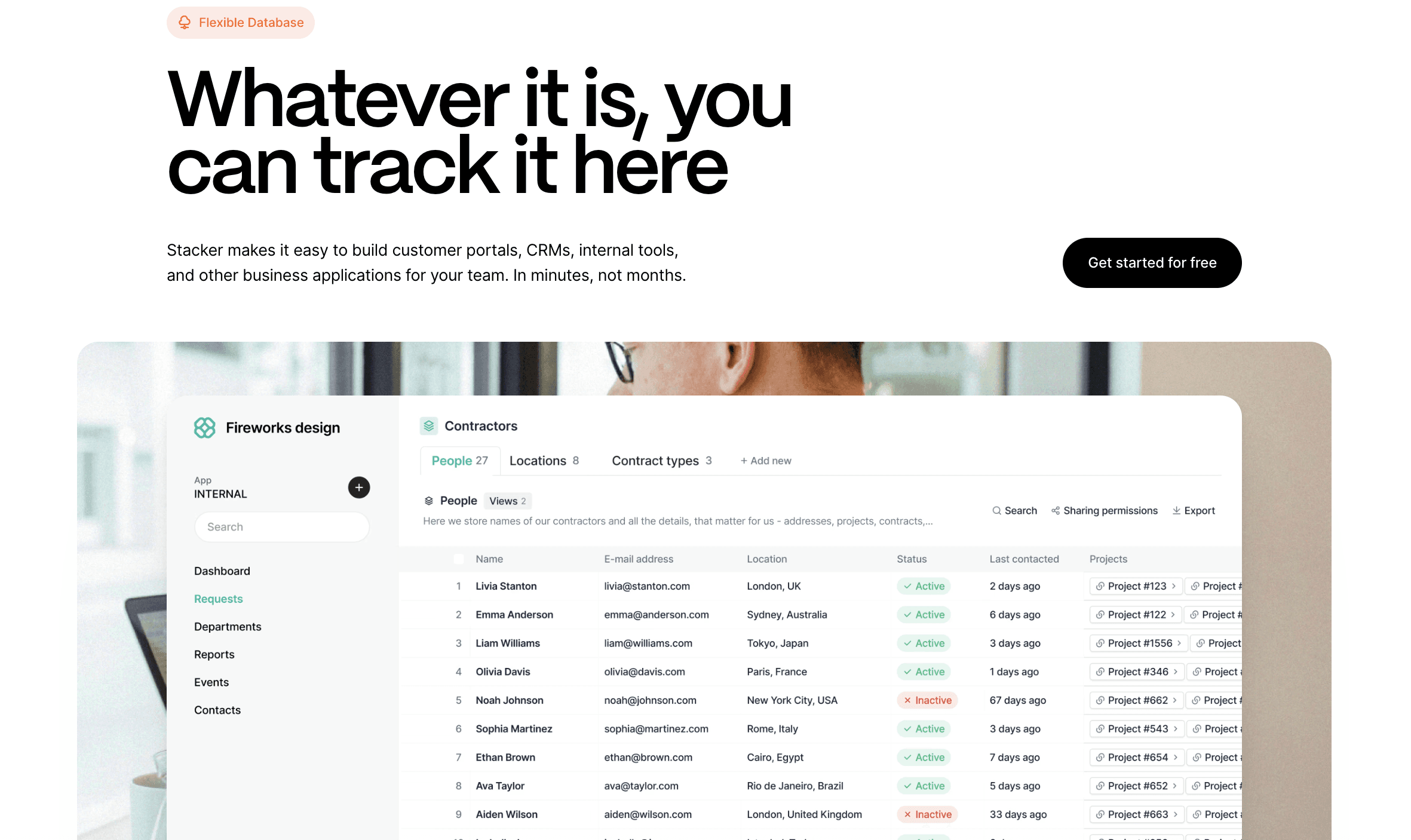
Stacker combines AI-driven app generation with managed no-code infrastructure. While code generators like V0 and Lovable leave you maintaining fragile code, and spreadsheet-first tools like Airtable and Glide lack depth for real business operations, Stacker lets non-technical users create and evolve mission-critical systems.
The AI builder handles initial setup in minutes. The visual editor lets you modify apps as your business changes without technical help. Enterprise-grade permissions support both internal teams and external customer portals from the same system. Over 1.5 billion people rely on Google Sheets, but spreadsheets weren't designed to run operations. Stacker turns that data into software that scales with your business.
Final Thoughts on Choosing a Spreadsheet Replacement
The right Google Sheets app builder frees you from version chaos, broken formulas, and awkward sharing while giving customers and partners secure access to their data. You can automate the processes currently hidden in your spreadsheets without standing up servers or writing code. Your business already runs on spreadsheet logic, but it deserves better infrastructure. Book a demo to see what's possible with your existing data.
FAQs
How do I choose the right spreadsheet-to-app builder for my business needs?
Decide first whether you want to own code or avoid it. If you have developers ready to maintain generated code, options like V0 or Lovable can work; if you are a non-technical team that wants a production-ready system without hosting or debugging, a managed builder like Stacker is a safer choice.
Which spreadsheet-to-app builder works best for external users like customers or vendors?
Stacker and Noloco provide strong portal features with detailed access rules so external users only see their own records, while Airtable’s portals tend to be more limited and can get expensive per-guest, and Glide and Softr are better for lighter external access where deep permission patterns are less critical.
Can I build apps that sync with my existing Google Sheets or Airtable data?
Yes, many tools connect directly to your current data: Stacker, Softr, Noloco, and Glide all sync with Google Sheets and Airtable, so updates flow both ways, and Stacker also lets you move data into its own tables later if you want more stability and structure.
What is the difference between AI code generators and AI no-code builders?
AI code generators such as V0 and Lovable output React and backend code that your developers must host, monitor, and fix, while AI no-code builders like Stacker create apps on managed infrastructure where you stay in a visual environment and the vendor handles uptime, security, and updates.
When should I move from spreadsheets to a dedicated app builder?
It is time to switch when you juggle multiple linked sheets, need secure access for clients or vendors, or keep losing time to broken formulas and conflicting versions; if you are patching gaps with manual workarounds, a spreadsheet-to-app builder will give you a clearer structure and more reliable workflows.




