
6 MIN READ
Tuesday, March 17, 2026

Michael Skelly
Founder, Stacker
You have probably glued together a “portal” from email, Google Drive links, and a project tool with limited client access. It works until a client cannot find a critical file or you realize you shared the wrong document with the wrong person. Free client portal software and paid products both aim to solve this by giving you a controlled space where each client sees only their own data and can self-serve simple requests.
This guide focuses on the features that matter most in a secure client portal in 2026, including encryption and permissions, as well as self-service and integrations. Along the way, you will see how tools differ in depth (simple file transfer vs full portals) and where a no-code option like Stacker fits if you want a portal tailored to your business process.
TLDR:
Client portals replace insecure email exchanges with controlled environments where external users access only their own data through role-based permissions
Look for end-to-end encryption, multi-factor authentication, and audit logs that track every user action for security compliance
Small businesses save 5-10 hours weekly by automating document collection and status updates instead of managing scattered email threads
File transfer tools handle one-time exchanges, while full portals maintain ongoing client relationships with persistent data and recurring workflows
Stacker builds custom client portals without coding, letting you define exact data structures and granular permissions that match your business process
What Is Secure Client Portal Software
Secure client portal software is a web-based tool that lets you share information, documents, and communications with people outside your organization in a controlled environment. Instead of juggling emails, file attachments, and scattered spreadsheets, you give clients, vendors, or partners a login to access what they need.
Security comes from permissions and access rules that control who can see what. Each client logs in and sees only their own projects, files, or data, not everything in your systems.
Small businesses use client portals to replace insecure email exchanges. Consultants share project updates and deliverables. Service companies let clients check order status or submit requests. You give external stakeholders self-service access to relevant information while keeping internal operations protected.
Key Security Features to Look For
When picking client portal software, start with encryption. Look for end-to-end encryption for data in transit and at rest. Files stay protected both during upload and while stored on servers.
Multi-factor authentication (MFA) adds a second layer beyond passwords. Requiring a code from a phone app or SMS before login blocks most unauthorized access attempts, even if someone steals credentials.
Audit logs track every action inside the portal: who logged in, which files were viewed, and when records changed. This creates accountability and helps you spot suspicious activity.
Granular permission controls let you define exactly what each user can do. Some clients might only view documents, while others can edit or upload files. Field-level permissions restrict access to specific data columns, which matters when sharing customer databases or financial records.
Compliance certifications signal that the software meets industry standards. SOC 2, GDPR, HIPAA, or ISO 27001 badges indicate that independent auditors have verified the vendor's security practices.
Top 15 Secure Client Portal Software Solutions
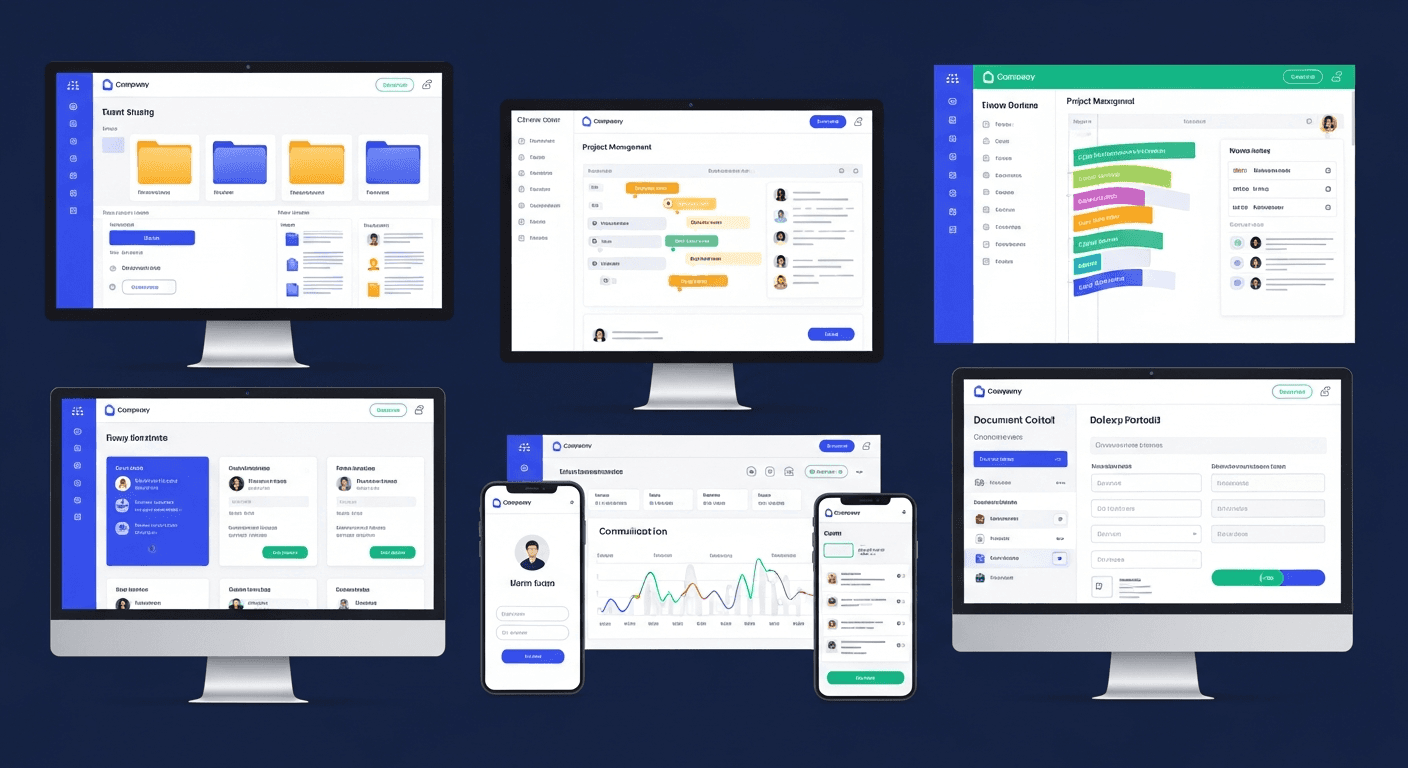
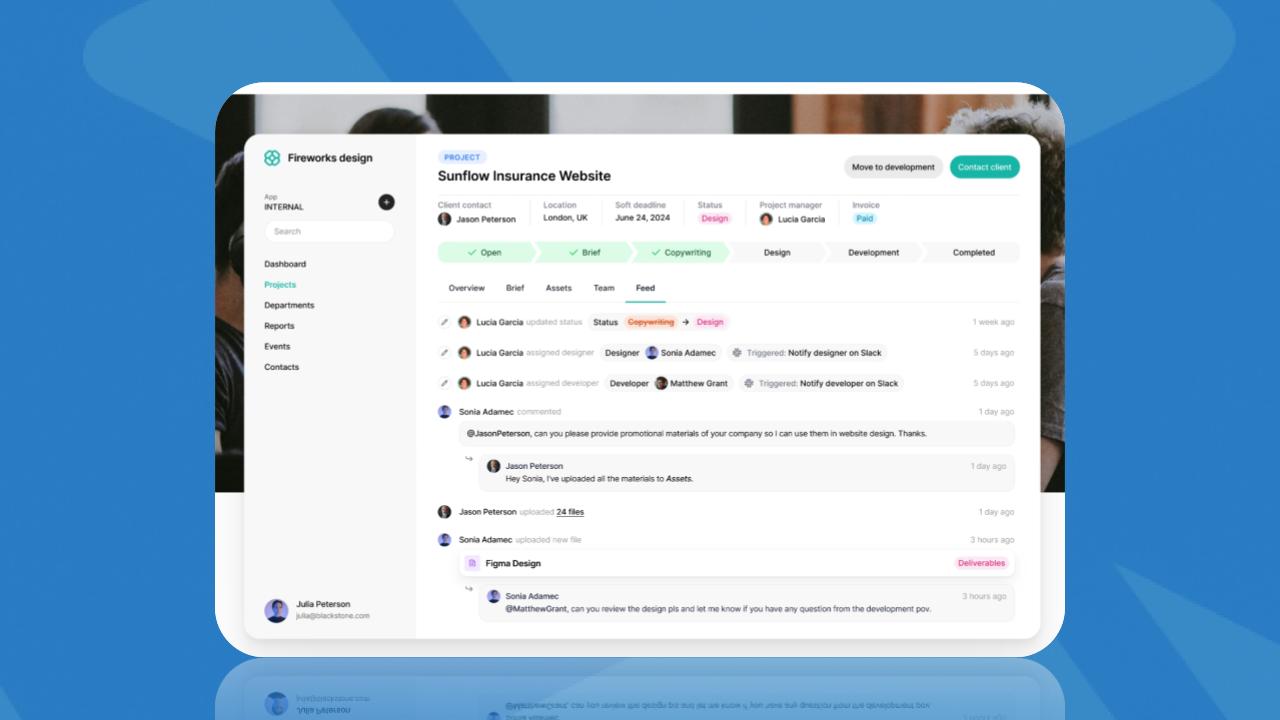
For Small Businesses
Stacker lets you build custom client portals without coding. You define exactly what data clients see, create branded interfaces, and set granular permissions. Start with a customer portal template or use AI to generate an initial portal from a description.
SuiteDash combines CRM, project management, and client portals into a single system. Clients log in to view project status, invoices, and shared files.
Flowlu offers client portal features bundled with financial management and invoicing tools, suited for service businesses tracking billable work.
File Sharing Focused
ShareFile (Citrix) specializes in secure document exchange with e-signature capabilities. Popular in legal and financial services where compliance matters.
Filemail handles large file transfers up to 50GB on free plans. Simple upload/download interface without full portal features.
For Consultants and Agencies
Notion can function as a basic client portal by sharing specific pages or databases. Works when you need lightweight collaboration without dedicated portal software.
General Purpose Solutions
Most project management tools offer limited client access features, but they lack the data structure and permission depth required for true client portals that handle sensitive information.
Software | Best For | Key Features | Free Tier |
|---|---|---|---|
Stacker | Custom portals without coding | Granular permissions, branded interfaces, data structure control, and AI-powered setup | Yes |
SuiteDash | Small businesses needing CRM + portal | Project management, invoicing, file sharing, and client login | No |
Flowlu | Service businesses tracking billable work | Financial management, invoicing, time tracking, and client access | Limited free plan |
ShareFile | Legal and financial services | Document exchange, e-signatures, compliance features | 30-day trial |
Filemail | Large file transfers | Up to 50GB transfers, simple upload/download | Yes (limited) |
Notion | Lightweight collaboration | Page sharing, basic databases, and comments | Yes |
Client Portal Software for Small Business Needs
Small businesses need client portals that work immediately without IT support or training budgets. Setup time matters more than enterprise features you won't use.
Free tiers are helpful for testing the waters. Stacker offers a free plan to build and test a portal before committing. Other free options include basic Notion setups or limited ShareFile accounts, though these restrict user counts or storage.
Mobile access has become non-negotiable. 78% of users prefer mobile devices over desktops, and 95% of businesses report increased demand for self-service requests. Your portal needs a responsive design that works on phones without forcing clients to download separate apps.
For small teams, look for software that handles multiple jobs. A portal that also manages your internal workflow saves money versus buying separate tools. You want client communication, file sharing, and basic project tracking in one place.
Skip complex enterprise systems that require consultants to configure. The best small business portals let you add your logo, invite users, and start sharing information the same day you sign up.
Portal Solutions for Consultants and Service Businesses
Consultants and agencies need portals that handle recurring client workflows beyond one-off file sharing. You're regularly onboarding new clients, collecting documents during engagements, and managing ongoing project communication.
Document collection becomes a structured process with client portals. Instead of sending email requests and chasing responses, you create intake forms where clients upload contracts, tax documents, or project briefs directly into organized folders. Some portals automate reminders when documents are missing.
Process cycle times drop 54% on average when client portals automate document and approval workflows. Top performers see reductions exceeding 90%.
Branded experiences matter for professional services. Your portal should display your branding elements instead of generic software branding. Clients see a cohesive extension of your business instead of third-party tools.
Secure File Sharing vs. Full Client Portals
File transfer tools solve one problem: moving large documents securely from point A to point B. Services like Filemail or basic ShareFile accounts let you upload files, generate a link, and send it to recipients. The transaction ends when someone downloads the file.
Full client portals handle ongoing relationships. You create a workspace where clients return regularly to check project status, view historical documents, submit requests, and communicate with your team. The data persists and evolves over time.
Choose file transfer when you need occasional document exchange with no follow-up. Sending a one-time deliverable to a client or receiving application materials from candidates works fine with simple upload tools.
You need a portal when clients require repeated access to changing information. Service businesses tracking multiple active projects, consultants managing month-over-month client engagements, or companies handling ongoing vendor relationships benefit from the structure and persistence portals provide.
Self-Service Capabilities and Client Adoption
Self-service features reduce repetitive client questions. Dashboards show clients real-time status updates on projects or orders without requiring email check-ins.
Knowledge bases inside portals answer common questions. Build FAQ sections, how-to guides, or video tutorials that clients can reference first. Well-designed self-service tools cut support tickets by 60-70%, with most seeing 20-30% fewer requests initially.
Automated notifications keep clients informed without manual work. Send alerts when files are uploaded, milestones are complete, or action is needed.
Clear design drives adoption. Simple navigation, obvious buttons, and clean layouts make portals intuitive. Clients who encounter confusing interfaces revert to email.
Integration and Data Management Considerations
Client portals work best when they connect to your existing business systems without creating another data silo. Syncing with tools you already use prevents duplicate data entry and keeps information up to date across systems.
CRM integration automatically updates customer records when portal activity occurs. When a client uploads a document or submits a request through the portal, that action logs in your CRM timeline. Stacker connects directly to tools like Airtable and Google Sheets with real-time, two-way sync, so changes in either location are reflected instantly.
API access matters for custom workflows. Look for REST APIs that let you push data between the portal and other software. This powers automation, such as creating invoices in accounting systems when clients approve deliverables, or triggering email sequences based on portal actions.
Comparing Cost vs. Value for Client Portals
Free client portals sound appealing until you hit user limits, storage caps, or missing security features. Most free tiers restrict you to 5-10 external users, which stops working once you grow beyond a handful of clients.
Paid plans typically range from $20 to $ 200 per month, depending on user count and features. Calculate ROI by measuring time saved. If your team spends 5 hours weekly managing client emails and file requests, a portal that cuts that in half saves 10 hours monthly. At $50/hour, that's $500 in recovered time against a $100 software cost.
Hidden costs include setup time and migration effort. Some solutions require weeks of configuration, while others, like Stacker, let you build working portals in days.
The Client Customer Portal Software Market is projected to grow at a CAGR of 10.3% from 2026 to 2033, signaling strong business adoption as companies recognize the value of client self-service.
Building Custom Client Portals With No-Code Tools
No-code tools let you build client portals that match your exact business process instead of forcing workflows into generic software templates. This approach works when off-the-shelf portals lack specific features you need or when your industry has unique requirements that standard solutions can't handle.
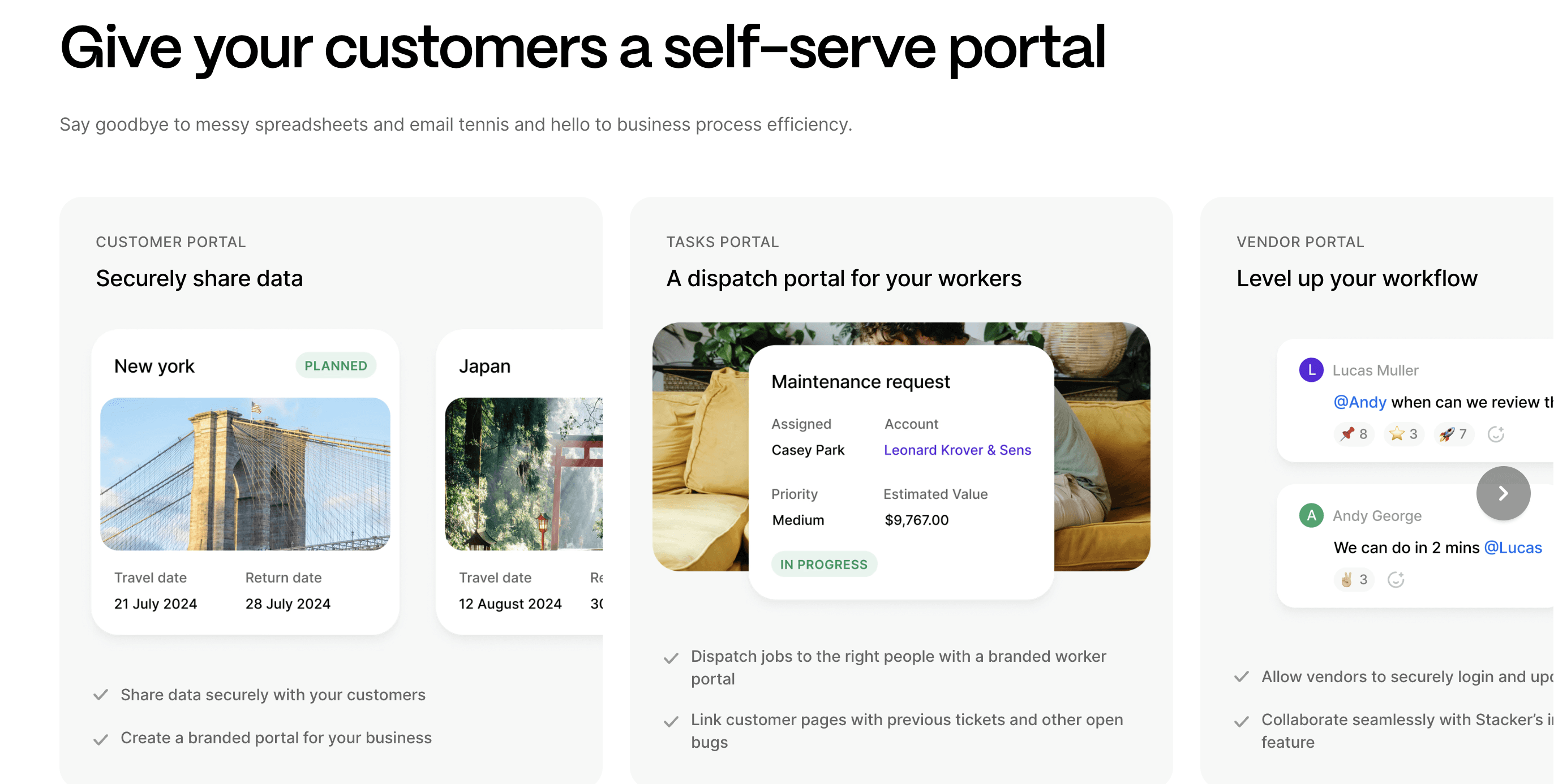
With Stacker, you start by defining your data structure: client records, project stages, document types, or any other entities that matter to your business. Then you build the interface clients see, choosing which fields appear, what actions they can take, and how information displays. Role-based permissions control access at granular levels without writing code.
Custom portals serve niche industries where packaged software doesn't exist well. Solar installers tracking permits and inspections, healthcare providers managing patient documentation, or professional services firms with specialized compliance needs can all build exactly what they require without hiring developers.
Final Thoughts on Finding the Right Client Portal
Your clients expect self-service access to their information without waiting for email responses. Free client portal software lets you test different approaches before committing to paid plans. Focus on security features and permissions that protect your data while making life easier for everyone involved.
FAQs
What security features should I focus on when choosing client portal software?
Start with encryption for data at rest and in transit, multi-factor authentication, and granular permission controls that let you restrict what each user can view or edit. Audit logs that track all user actions help you maintain accountability and spot potential security issues.
How long does it take to set up a client portal for a small business?
With no-code tools like Stacker, you can build a working portal in a few days by starting with a template or using AI to generate an initial structure. More complex enterprise systems might require weeks of configuration, so choose software that aligns with your technical resources and timeline.
When should I use file transfer tools versus a full client portal?
Use file transfer tools like Filemail for one-time document exchanges where you just need to send a deliverable. Choose a full client portal when clients need frequent access to changing information, such as ongoing project status, historical documents, or regular communication with your team.
Can client portals reduce the time my team spends answering client questions?
Yes. Self-service dashboards that show real-time status updates and built-in knowledge bases typically reduce support requests by 20-30%, with some businesses seeing cuts of 60-70% as clients find answers independently versus sending emails.
What's the difference between no-code portal builders and pre-built portal software?
No-code builders let you create custom portals that match your exact business process and data structure, which works well for niche industries or unique workflows. Pre-built portal software offers faster setup with standard features but less flexibility to adapt to specialized requirements.




