
6 MIN READ
Friday, January 23, 2026


Michael Skelly
Founder, Stacker
If you are looking for Glide replacements, you have probably reached the limit of what spreadsheet-based apps can handle for your team. Glide makes it fast to publish a basic app from Google Sheets or Airtable, but scaling often exposes limits around layouts, permissions, and multi-step workflows. The right alternative depends on whether you need a relational database, secure portals for external users, and deeper automation for business processes.
TLDR:
Glide turns spreadsheets into apps quickly but does not include a full relational database or strong portals for complex access patterns.
Stacker adds AI-guided building, an integrated data layer, and detailed permissions that support more advanced workflows.
Airtable provides a spreadsheet-database hybrid; Softr builds simple sites on existing data sources; Noloco focuses on Airtable-backed portals; Lovable generates code from AI prompts.
Use Glide for simple utilities and lists; choose Stacker when your apps drive day-to-day work for your team and external partners.
What is Glide and How Does It Work?
Glide is a no-code tool that turns data from Google Sheets, Excel, or Airtable into web and mobile apps. You connect a data source or use Glide’s own tables, and the product reads your columns and rows to produce a starter layout that you can adjust in a visual editor. You then choose components such as lists, cards, maps, or calendars for different screens, and any changes sync back to your underlying spreadsheet.
Teams often use Glide to improve internal workflows that used to live only in rows and columns. Common examples include mobile inventory checkers, simple sales dashboards for field reps, and quick staff directories.
Why Consider Glide Alternatives?
Glide is effective when you need to move from a spreadsheet to a clickable app with minimal friction. It works well for simple lists, field data collection, and low-stakes utilities.
Teams start to look for alternatives when they need stronger business tools. Glide builds on spreadsheet-style storage instead of a fully relational database, which can strain under complex relationships and larger datasets. Layout options feel rigid once you want more specific branding or UI control. Permissions are basic, so it is difficult to give clients or vendors precise access to selected records. Multi-step flows often require workarounds or external services, and you cannot publish full native apps to major app stores.
At that point, many teams look for an option that includes its own data layer, stronger permissions for internal and external users, and deeper logic without extensive add-ons.
Best Glide Alternatives in January 2026
While Glide serves specific needs for simple lists, several other tools offer stronger databases, better permissions, and deeper customization. Here are the top alternatives ranked by capability and use case.
Stacker: Best Overall Alternative
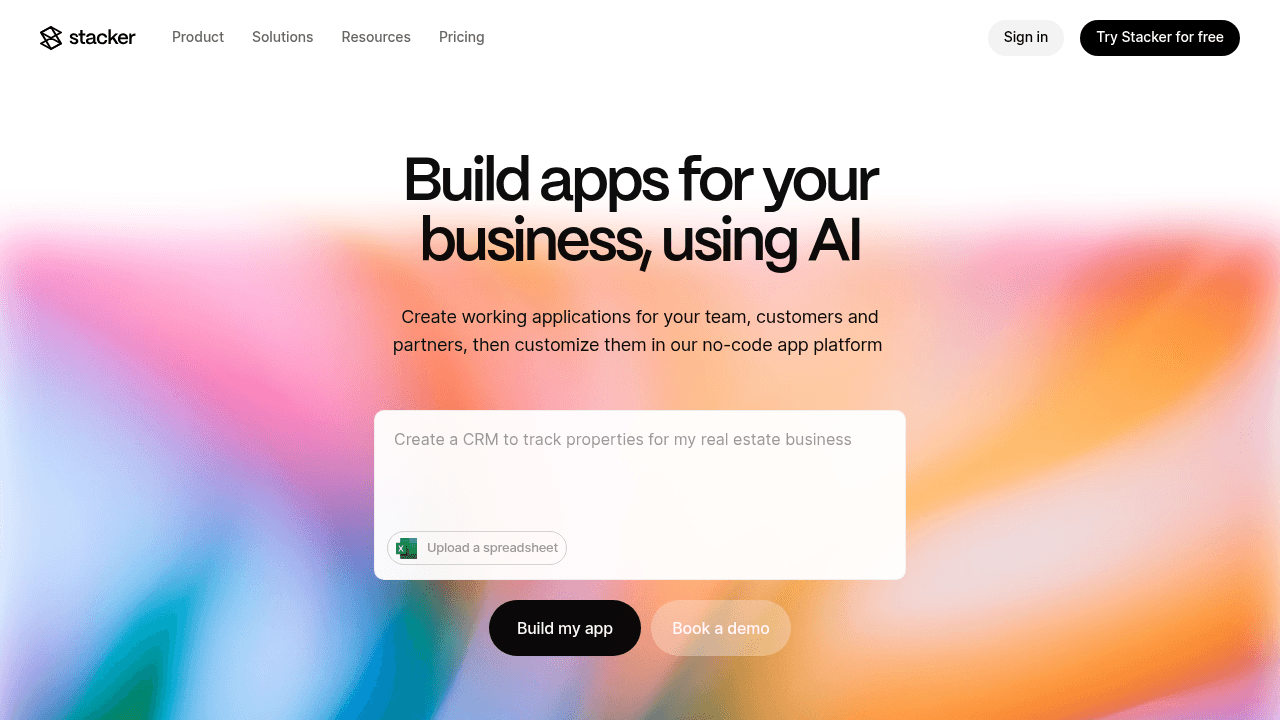
Stacker is a no-code app builder that lets you create custom business apps such as CRMs, work trackers, and secure portals that run directly on your data. It offers both a built-in relational database and connections to tools like Airtable and Google Sheets, plus an AI builder that can generate a first version of your app from a natural-language description.
What they offer
AI app builder that turns plain-English prompts into an initial app and supports quick changes to structure and layout through conversation.
Integrated data fabric that can store records natively while still syncing to Airtable or Sheets, so you can handle higher volumes and relationships without spreadsheet limits.
Field-level and table-level permissions so internal staff, customers, and partners all see the right records, combined with secure external portals for clients and vendors.
Built-in business logic and automation for status updates, handoffs, and notifications, which reduces reliance on third-party integration tools.
Good for: teams that need flexible CRMs, vendor or partner portals, or process trackers with secure external access and a stable data model, and that want to avoid managing code.
Limitation: for very simple one-off utilities or basic lists on a spreadsheet, Stacker’s richer data and permission capabilities may be more than you need.
Bottom line: Stacker is the strongest Glide alternative once your apps drive important work across internal and external users, and you want AI, a relational data layer, and detailed permissions in one place.
Airtable
Airtable sits between a spreadsheet and a database, with tables, linked records, and multiple views, plus interface-building and automation features. Many teams use it as their primary shared data store.
What they offer
Spreadsheet-style editing with support for linked records, attachments, and multiple views for the same data.
Interface Designer for dashboards and forms on top of base data, and automations triggered by changes.
Good for: teams that need a shared database for projects, assets, and reference data, and prefer a grid-style editing experience.
Limitation: interfaces are geared toward internal teams. Portal access for external users depends on add-ons that can be expensive and still lack the kind of fine-grained permissions needed for more complex, multi-audience apps.
Bottom line: Airtable is ideal for storing and organizing your data; Stacker is what you use when you want that data to power secure CRMs, portals, and business apps for both internal and external stakeholders.
Softr
Softr is a front-end builder that creates websites and simple apps on top of data from Airtable and Google Sheets. It focuses on quickly publishing public pages and basic member areas.
What they offer
Quick deployment of sites, directories, and basic portals from Airtable or Sheets.
A block library for standard layouts and components, plus user login and basic role-based views.
Good for: startups and makers who want to publish a public site, directory, or simple customer area using data they already hold in Airtable or Sheets.
Limitation: the product depends on external data sources for storage, which can limit performance and flexibility as you scale. It also does not target deeper internal workflows where multiple teams, statuses, and complex logic are central.
Bottom line: Softr is effective for quick public sites and lightweight membership areas. Stacker is a better fit when you want a business app that matches internal workflows and supports portals on a more structured data model.
Noloco
Noloco builds client-facing apps and portals directly on top of Airtable bases, giving you a way to expose selected Airtable data to customers or partners.
What they offer
Visual builder that turns Airtable tables into pages, lists, and forms.
Role-based views so different types of users can see different slices of Airtable data.
Good for: teams fully invested in Airtable that want a straightforward client portal without introducing another database.
Limitation: Noloco relies on Airtable as its data store, so it inherits Airtable’s limits and pricing, and it can struggle with more demanding, multi-entity systems where data relationships and permissions get complex.
Bottom line: Noloco makes Airtable data easier to share with clients. Stacker covers those use cases while also offering its own data storage and AI app building for more advanced business systems.
Lovable
Lovable uses AI to write real code for your app based on natural-language prompts, effectively acting as an AI assistant for developers. It is a code-generation solution, not a managed no-code environment.
What they offer
AI-generated codebases that include both front end and backend logic.
Support for iterative changes via additional prompts that update the code.
Good for: technical teams that want to ship a prototype or early version quickly and plan to maintain the code in-house.
Limitation: because it produces code, you are responsible for hosting, security, debugging, and future changes. This creates ongoing work for engineering teams and can be a barrier for non-technical owners.
Bottom line: Lovable is a good way to get from idea to code quickly when you have developers. Stacker is better when you want a managed environment that operations or business teams can run themselves.
Feature Comparison: Glide vs Top Alternatives
The table below presents how Glide and the main alternatives differ on data storage, permissions, and built-in logic. Glide works best for simple, mobile-first apps powered by spreadsheets, while tools like Stacker, Airtable, Softr, Noloco, and Lovable each take a different approach to data models, portals, and app complexity.
Feature | Glide | Stacker | Airtable | Softr | Noloco | Lovable |
|---|---|---|---|---|---|---|
Built-in Relational Database | Glide Tables (limited) | Yes | Spreadsheet-based | No (uses external data) | No (uses Airtable) | Generates separate database code |
AI-Powered App Builder | Basic AI features | Advanced AI builder with iterative modifications | No | No | No | Full AI code generation |
External User Portals | Yes, with update limits | Yes, with granular permissions | Limited, expensive for external users | Yes, basic portals | Yes, basic portals | Requires custom code setup |
Spreadsheet Data Integration | Google Sheets, Excel, Glide Tables | Airtable, Google Sheets, plus native database | Native base system | Airtable, Google Sheets | Airtable only | Requires integration code |
Complex Business Logic | Limited, challenging for multi-step workflows | Yes, with formulas, computed fields, and automation | Yes, within base limitations | Limited | Limited | Requires coding |
Role-Based Permissions | Yes | Granular field and table-level permissions | Yes, within interfaces | Basic user roles | Basic user roles | Requires custom code |
Best For | Simple utility apps, event tracking | Business systems, CRM, partner portals | Internal data organization | Quick prototypes, simple membership sites | Basic Airtable portals | Technical teams needing throwaway demos |
Why Stacker is the Best Glide Alternative
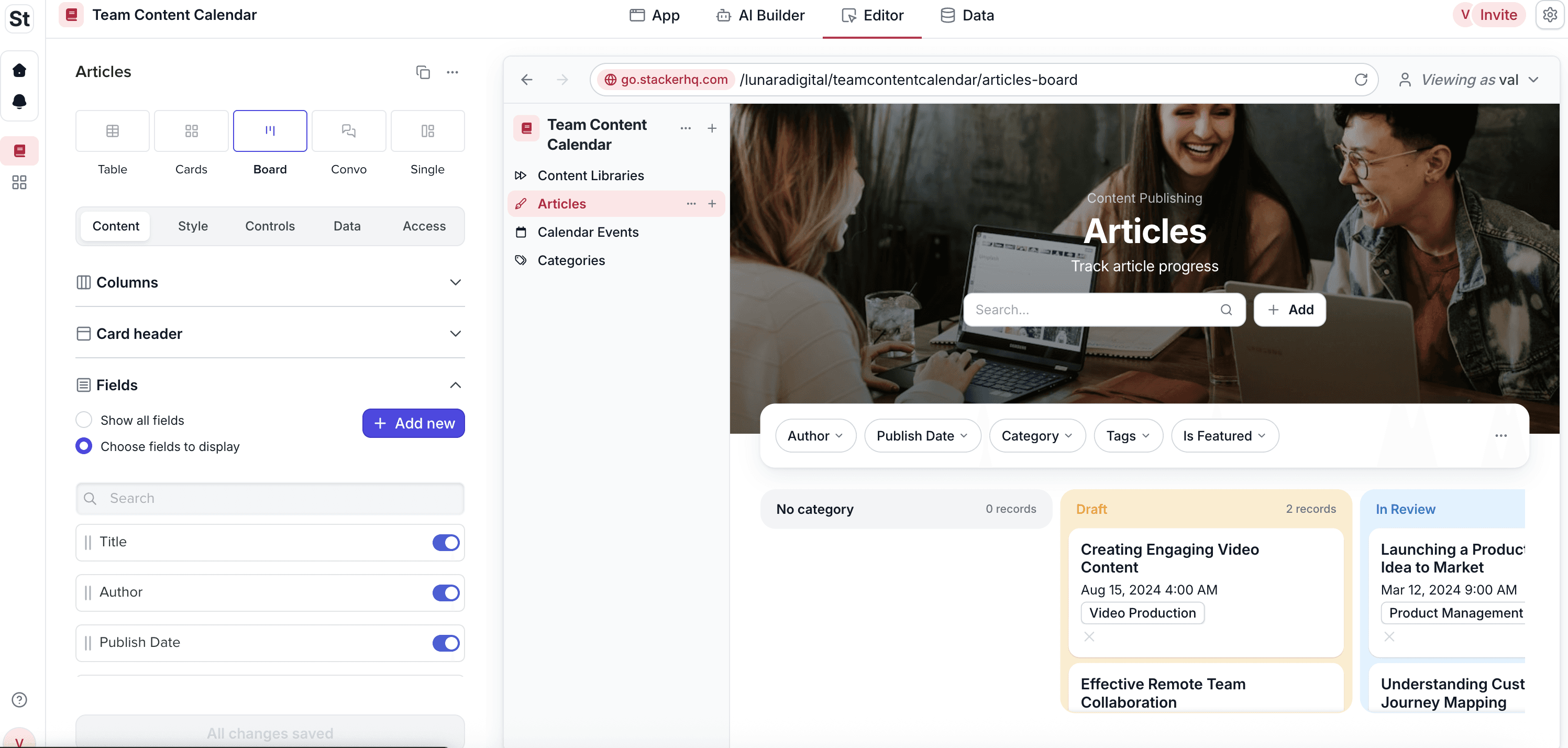
Glide serves teams well when they need quick utility apps based on spreadsheet data. As noted in a recent Glide app review, the tool fits simple tasks like directories or trackers. However, scaling organizations often need stronger systems. This demand is accelerating, with 37.6% market growth expected through 2028 as businesses seek tools that handle complex digital workflows versus simple lists.
Stacker offers these 3 distinct advantages for operations.
First-Class Relational Database
Stacker offers a built-in relational database. This allows you to model complex data relationships without the row limits or performance issues inherent to Google Sheets. You gain a stable foundation for scaling operations that keeps your data secure and organized.
Advanced AI Building
Stacker AI allows you to build and iterate on software conversationally. You can generate a complete application structure and then modify logic or layout through plain English prompts. This capability reduces build time compared to manually configuring components or relying on rigid templates.
True Multi-Audience Architecture
Stacker allows you to create secure portals where clients, vendors, and internal teams access the same system appropriately. For teams needing custom CRM systems, process trackers, or inventory management, Stacker provides the necessary architecture to scale.
Final Thoughts on Selecting a Glide Alternative
Spreadsheet-based app builders are a good starting point, but they have clear limits as your data, users, and processes grow. No-code app builders like Stacker offer stronger data models and permissions so you can support richer workflows and involve external users safely.
FAQs
When should you consider moving away from Glide?
It is time to look at alternatives when you need richer data relationships, more precise access rules for external users, or multi-step workflows that are hard to keep inside a spreadsheet-style app. If you are running into performance issues or struggling to build secure client portals with detailed access control, Glide will start to feel limiting.
What should you look for when comparing Glide alternatives?
Focus on three areas: whether the tool has a relational database instead of relying only on spreadsheets, how it handles external users and permissions for portals, and how easily you can build advanced logic without messy workarounds. These points show if the product can keep up as your apps become more important to the business.
Can you move existing Glide data into another tool?
Yes. Products like Stacker can connect directly to Google Sheets, Excel, or Airtable, or import that data into their own storage. You can keep your current sources in place at first, then later migrate into a built-in database once you are ready for more stability and scale.
How is a relational database different from a spreadsheet app?
A relational database stores information in linked tables so you can connect customers to orders, projects to tasks, or tickets to accounts without duplicating rows. Spreadsheet-based apps treat everything as flat grids, which becomes hard to manage when you track multiple related entities or more than a few thousand records.
What makes Stacker different from other no-code app builders?
Stacker combines its own relational data layer with an AI builder and detailed role-based permissions in one product. You can create CRMs, work trackers, and secure portals where clients and vendors use the same system as your team while seeing only what they should, all without writing code or managing infrastructure.




