
5 MIN READ
Tuesday, February 24, 2026


Michael Skelly
Founder, Stacker
Trying to run complex, permissioned workflows in spreadsheets is a risk: you cannot safely give customers access to their orders without worrying they will see someone else’s records. Data management tools fix this by treating your information like a real database, with clear relationships and controlled access. This guide focuses on the no-code options that can support external portals, detailed permissions, and day-to-day use without a development team.
TLDR:
Database app builders turn relational data into business applications without code.
Stacker combines AI generation with field-level permissions for multi-party portals.
Airtable offers a spreadsheet-like interface for structured data, but it can struggle with larger datasets.
Softr and Glide work for simple cases but do not go deep enough for complex systems.
Stacker supports rich data relationships and external access patterns that teams rely on every day.
What Are Database App Builders for Business Applications?
Database app builders are no-code products that let you design business applications on top of structured, relational data. The no-code development market has reached $48.91 billion in 2026 and is projected to hit $376.92 billion by 2034, growing at 29.10% annually.
Instead of scattered sheets, you define entities such as customers, orders, and invoices and connect them cleanly.
You get the kind of data foundation developers would set up in a traditional database, but through visual tools: you model tables, build forms and views, and configure permissions with clicks instead of SQL. This makes them a strong fit where data quality and controlled access are important.
How We Ranked Database App Builders
We looked at six areas that matter once your data and processes move beyond basic tracking:
Relational data handling: Can the tool model links between entities (customers, projects, stock) without awkward workarounds?
Permission controls: Does it support detailed, role-based access for internal staff and external roles such as clients or vendors?
External portals: Can you safely share slices of data with customers, partners, or contractors while keeping everything else hidden?
Automation capabilities: Can it support rules, calculations, and triggers that mirror your real processes?
Data integration: Does it connect to existing sources or make it easy to move off spreadsheets?
Reliability for daily use: Is it stable enough for important processes, with growing adoption in data-heavy scenarios?
Best Overall Database App Builder: Stacker
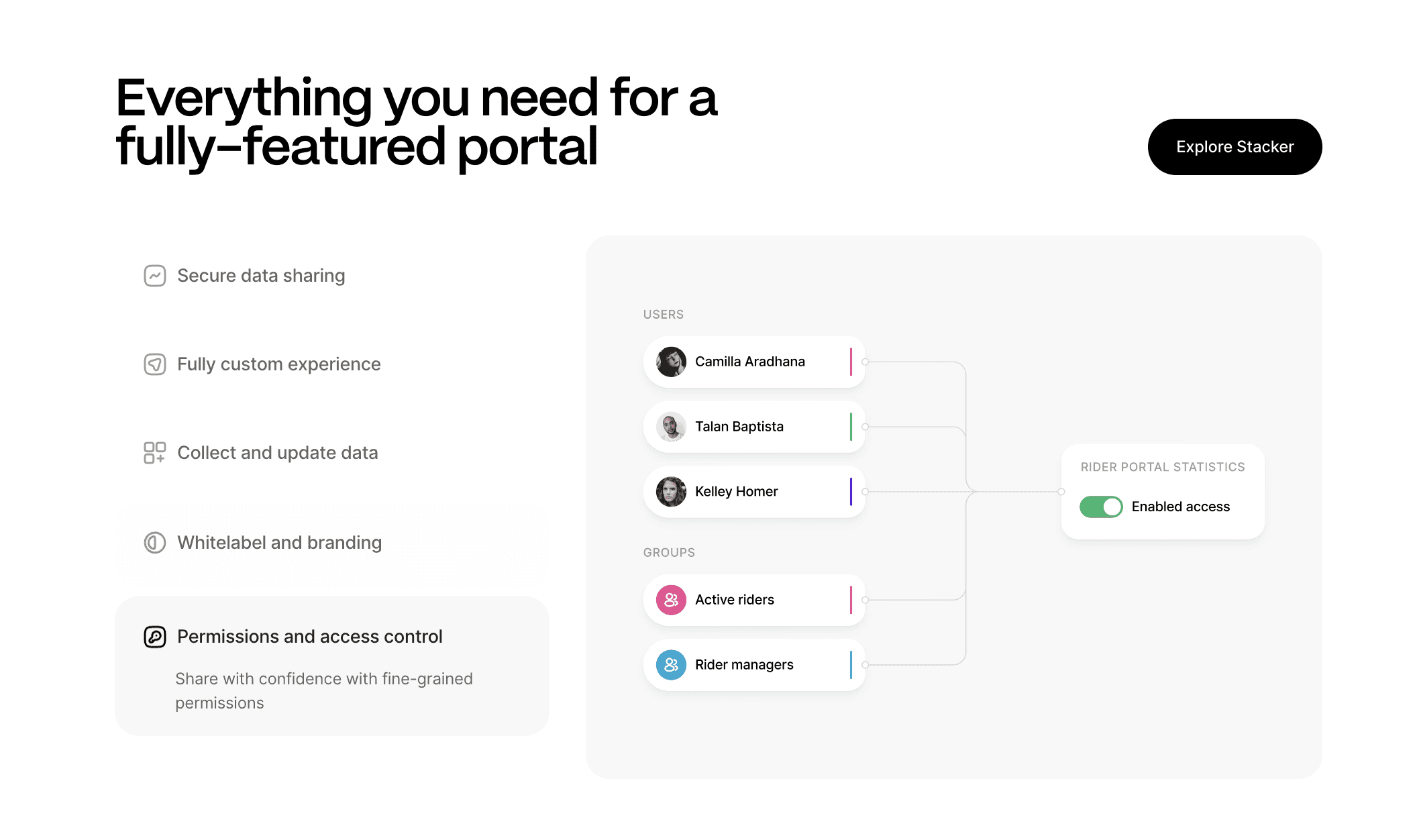
Stacker is designed for teams that manage connected data across customers, projects, inventory, and internal roles. The AI builder turns plain-language descriptions into working apps that you refine with follow-up prompts and a visual editor, cutting setup time while still delivering a stable environment.
What they offer:
AI-guided app creation that builds data structures, layouts, and permissions from short descriptions.
A built-in relational data layer plus two-way sync with Airtable and Google Sheets so you can mix native tables and external sources.
Field-level permissions and role-based access so you can run customer, vendor, and partner portals from the same system safely.
Good for: Teams that need a single system for internal staff and external stakeholders, with clear rules on who sees which records and no reliance on an engineering team.
Limitation: Teams new to structured data and permission design may need to invest time up front to carefully map entities and roles.
Bottom line: Stacker is the strongest option when you want AI-assisted, database-backed apps that handle complex data and external access for everyday use.
Airtable
Airtable is a cloud-based hybrid of spreadsheets and databases, giving teams a familiar grid while supporting linked records and richer views. It is widely used by teams moving beyond standard spreadsheets for internal work.
What they offer:
Grid-style interface with linked records, lookups, and relationships.
Multiple view types, including grid, calendar, Kanban, and gallery.
Custom Interfaces for building internal screens plus automation tools for simple workflows.
Good for: Teams that are comfortable with spreadsheets and want structured internal tracking without jumping directly into a more opinionated app builder.
Limitation: Larger datasets and more complex structures can strain performance, and portal-style access for external users comes with higher per-user pricing and constraints.
Bottom line: Airtable is a strong internal data tool and a good bridge away from spreadsheets, but it is less suited as the primary environment for complex portal-centric systems.
Noloco
Noloco builds internal tools and client portals by connecting to Airtable, Google Sheets, PostgreSQL, and MySQL. It adds roles, auth, and UI on top of the sources you already use, making it attractive if your data is scattered across those systems.
What they offer:
App and portal generation from Airtable, spreadsheets, and SQL databases.
Role-based permissions and authentication for internal and external audiences.
Workflow automation and Progressive Web App support for mobile-friendly experiences.
Good for: Teams already running most of their data in Airtable or spreadsheets that want to add dashboards and client-facing apps without redesigning their schema.
Limitation: Since it leans on external data sources, setups with many entities and higher user counts can be harder to tune and maintain, and there is no strong AI-assisted build process to speed up redesigns.
Bottom line: Noloco is useful as a layer on top of existing bases, but it is less ideal as the core system when your data relationships and access patterns grow more complex.
Softr
Softr is a no-code website and app builder that creates portals and web apps from sources like Airtable, Google Sheets, and SQL databases. It focuses on getting customer-facing and internal pages live quickly with a block-based editor.
What they offer:
Drag-and-drop blocks for lists, charts, tables, and forms connected to data sources.
Data connections for Airtable, Google Sheets, Notion, PostgreSQL, MySQL, and MariaDB.
A permission system for user groups with different access levels and a template library for common scenarios.
Good for: Teams that want to launch attractive sites, directories, or simpler portals where design and speed matter more than deep process logic.
Limitation: It is geared toward lighter use cases; data handling depends on external sources, and the permission model and workflow depth are more limited for complex, multi-party business systems.
Bottom line: Softr is effective for quickly building polished interfaces on top of your data, but not the best fit when you need more detailed rules and data models.
Glide
Glide is a no-code tool that builds mobile and web apps from Google Sheets and other tabular data. It focuses on mobile-first apps and quick assembly of utility tools that teams can share via links.
What they offer:
Mobile interface builder with drag-and-drop components.
Support for up to millions of rows through BigQuery and Glide Tables.
Real-time sync from Google Sheets, with templates for common mobile app patterns.
Good for: Simple mobile apps for field teams and data collection when Google Sheets already holds your data, and mobile access is the top priority.
Limitation: The foundation is still spreadsheet-based, which makes it hard to implement complex relationships, many roles, and detailed permission patterns; it is less suitable for rich, multi-stakeholder business systems.
Bottom line: Glide is a strong fit for focused, mobile-centric utilities on top of Sheets, but it is not designed as the main environment for heavier, multi-entity business applications.
Feature Comparison Table of Database App Builders
Here's how the leading database app builders compare on features that matter for business operations:
Feature | Stacker | Airtable | Noloco | Softr | Glide |
|---|---|---|---|---|---|
Built-in relational database | Yes | Yes | No | No | No |
AI-powered app generation | Yes | No | No | No | No |
External user portals | Yes | Limited | Yes | Yes | Limited |
Field-level permissions | Yes | Yes | Yes | Limited | Limited |
No coding required | Yes | Yes | Yes | Yes | Yes |
Real-time collaboration | Yes | Yes | Yes | Yes | Yes |
Workflow automation | Yes | Yes | Yes | No | Yes |
Works with existing data | Yes | No | Yes | Yes | Yes |
Mobile responsive | Yes | Yes | Yes | Yes | Yes |
Multi-stakeholder apps | Yes | No | Yes | Limited | No |
Why Stacker Is the Best Database App Builder
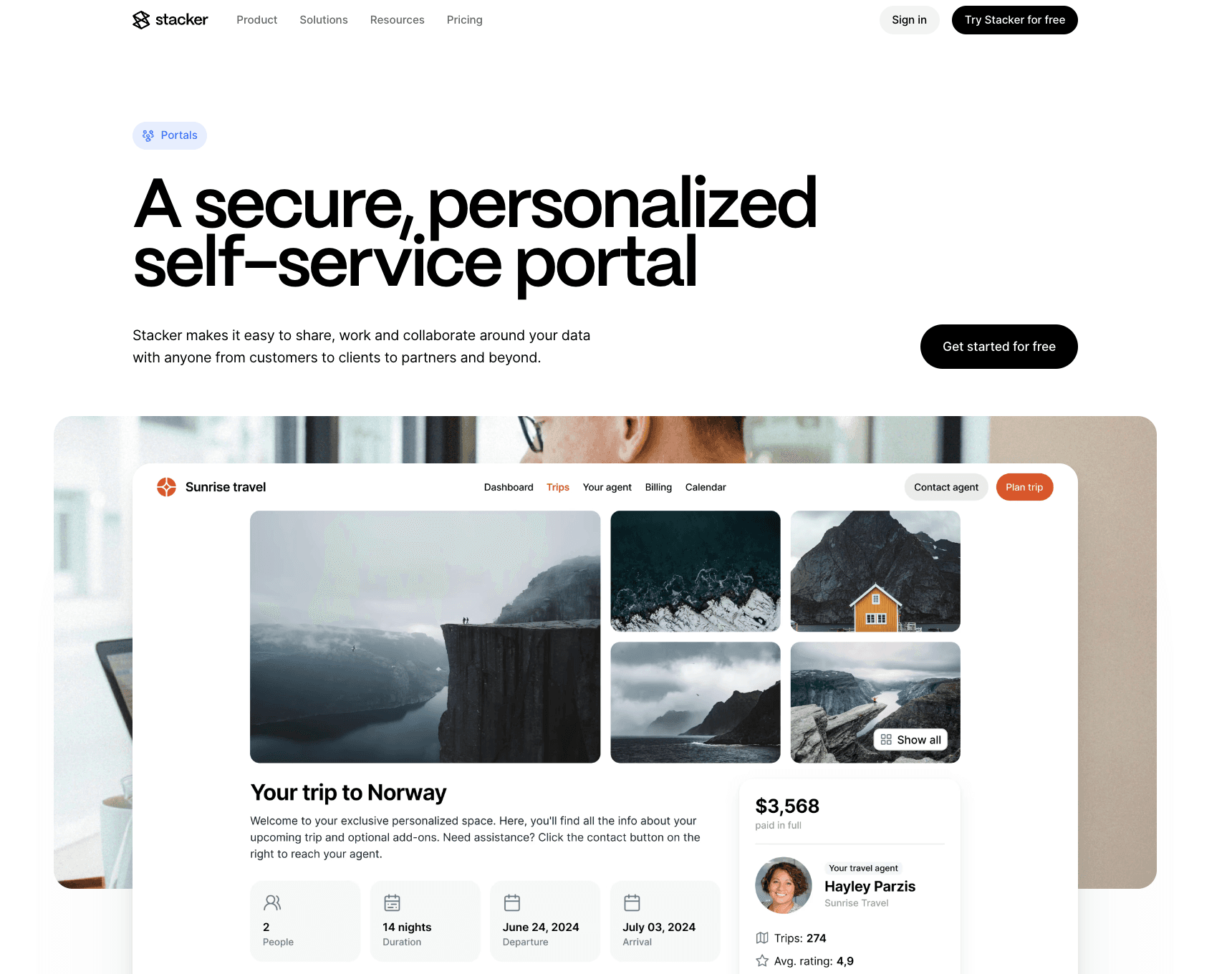
Stacker is designed for real business use. Its mix of AI-guided creation, relational data structures, field-level permissions, and multi-party portal support sets it apart. You can build customer portals, vendor systems, and internal tools in a single environment without hiring engineers or wrestling with spreadsheet limitations.
The product handles reliability and data quality in scenarios where teams and external users depend on the app every day, which is where many simpler tools begin to struggle.
Final Thoughts on Building Complex Data Applications
Your data has outgrown fragile spreadsheets and formulas that break at the worst time. A real relational data app helps you model multiple entities, invite external users safely, and run daily workflows without losing control. According to a Forrester study, organizations that modernize customer service with proper database and portal systems see a 315% ROI over three years.
You can move gradually from spreadsheets, connect existing sources, and still give teams a tool they feel confident updating.
If you want to see this in action, book a Stacker demo and bring one of your real use cases, such as a client portal or project tracker. In that session, you can see how your current data becomes a working app and decide whether it is the right home for your wider processes.
FAQs
How do I choose the right database app builder for my business?
Start by mapping out your data relationships and permission needs before you compare tools. If you require external portals with field-level controls and strong relational data handling, focus on products built for ongoing business use, such as Stacker or Noloco; if you only need simple mobile apps on top of Google Sheets, Glide can be enough. Avoid code-generation tools unless you have developers to maintain and debug the output.
Which database app builder works best for teams without technical expertise?
Stacker, Airtable, and Noloco let you build apps through visual editors without writing code. Stacker’s AI builder lets you describe what you want in plain language and then refine the app through follow-up prompts, which is helpful when you do not have an engineering team. Tools like Lovable or V0 generate code and are better suited to teams with developers who can manage that codebase.
Can I build customer portals that only show each client's data?
Yes, but you need to check how each tool handles data isolation. Stacker offers field-level and record-level permissions that keep each customer’s data separate inside a portal, while Airtable charges for a Portals add-on and bills per pack of external seats. Softr and Glide can support basic portals, but their permission models and reliance on spreadsheet-style data make complex multi-party setups harder to manage, so it is smart to test this early.
What is the difference between spreadsheet-based and native database builders?
Spreadsheet-based tools such as Glide and some Noloco setups connect to Google Sheets or Airtable, which can slow down or need more work as user counts and relationships grow. Native database builders like Stacker use built-in relational storage designed for data integrity and performance at scale, making them better suited to more complex business systems.




