
6 MIN READ
Monday, February 9, 2026

Michael Skelly
Founder, Stacker
You’re probably here because your spreadsheet setup is starting to crack: clients are asking for real-time access, vendors keep requesting status updates, and your team is juggling too many tabs just to answer basic questions. Stacker and Noloco both promise a cleaner way to turn that chaos into a proper app or portal, but they take different approaches to data, AI, and external users. In this February 2026 guide, you’ll see how each tool handles growing record counts, mixed internal and external audiences, and day-to-day changes in your process, so you can pick the option that will still work when you have ten times as many customers logging in.
TLDR:
Stacker includes a built-in database to handle high-volume data without spreadsheet row limits.
AI-driven editing lets you refine apps through conversation instead of manual menu clicks.
Granular permissions allow secure external user access without steep per-user scaling costs.
Noloco connects to external data sources but relies on third-party API limits for performance.
What is Noloco?
Noloco works as a no-code builder that converts data from sources like Airtable, Google Sheets, and PostgreSQL into internal tools or client portals. Instead of migrating records, it syncs with your existing database to create a customizable front end. This approach keeps your backend data intact while providing a user-friendly interface for employees or clients.
When you connect a data source, the tool automatically creates a foundational app structure with views and forms. You can then modify page layouts, define user roles with specific permissions, and set up logic to handle repetitive actions. It works well for organizations that need to build apps around existing datasets without writing code.
What is Stacker?
Stacker helps teams create custom business software without writing code. You can build tailored CRMs, internal tools, and secure customer portals that match your exact workflows. Instead of adapting your work to rigid, pre-built tools, you construct applications that support your unique business processes.
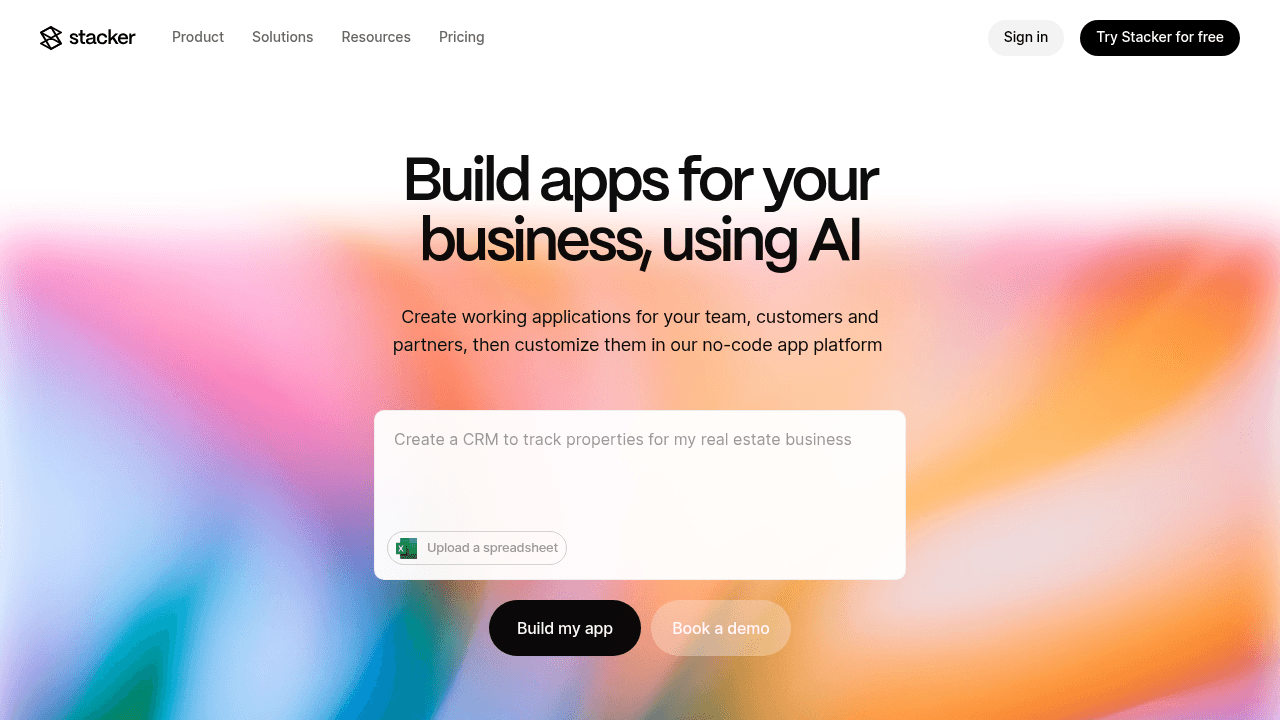
For data management, Stacker provides a built-in database capable of handling complex relationships. If you prefer keeping data elsewhere, you can connect directly to Airtable and Google Sheets. Two-way sync means updates in your app appear instantly in your data source.
You can construct apps using an AI-driven interface or a visual editor. Simply enter a prompt to generate a foundation, then customize layouts and permissions with drag-and-drop components.
Data Architecture and Database Capabilities
Noloco functions primarily as an interface layer. It connects to sources like Airtable or Postgres, which means your app performance depends heavily on the speed and API limits of those third-party providers. While this works for simple dashboards, heavy data sets often face synchronization lags or throttling issues.
Stacker offers more architectural control through Stacker Tables. This built-in relational database lets you house and manage mission-critical data directly within your app, bypassing the row limits common with spreadsheet tools. You create a stable system of record without needing a separate database subscription. If you prefer keeping data in Google Sheets or Airtable, you can keep that approach. Bidirectional sync updates records instantly and lets you mix native tables with external sources based on your specific needs.
AI-Powered Application Building
Noloco integrates AI to accelerate the initial setup of internal tools. It analyzes your data to suggest configurations and helps you get started faster. However, its AI features focus mainly on that first build, with less emphasis on conversational iteration.
Stacker takes a different approach by embedding AI into the entire editing process. You begin with a prompt to generate an application, then refine it through conversation. If you need to adjust layout visibility, modify headers, or add widgets, you simply type instructions. This removes the need to hunt through settings menus to make granular changes.
Unlike tools that generate raw code scripts, which often require debugging and self-hosting, Stacker AI runs within a managed infrastructure for business applications. You get the speed of AI creation combined with maintained software, so you end up with a secure, durable application instead of a fragile codebase.
Portal Management and External User Access
Noloco lets you build client portals where you define roles and configure permissions by user group. You can set up workflows that grant clients access to specific data points. This approach works well for distinct logins, but costs often climb as you scale to hundreds of external clients because pricing models frequently tie to active users.
Stacker focuses on secure external access alongside internal work. You can manage customers, partners, and vendors within a single workspace using custom domains. Granular permissions let you control visibility down to the specific field and record level.
With this setup, a vendor sees only their assigned tasks, and a client sees only their order history. Stacker lets you provide logins to a large number of external stakeholders without the steep scaling costs common in per-user metering models.
Feature | Stacker | Noloco |
|---|---|---|
Data Architecture | Built-in relational database (Stacker Tables) with no row limits, plus optional connections to Airtable and Google Sheets with bidirectional sync | Interface layer that connects to external sources like Airtable, Google Sheets, and PostgreSQL; relies on third-party API limits |
AI Capabilities | Conversational AI throughout entire editing process; generate apps from prompts and refine through natural language instructions without menu navigation | AI-powered initial setup that analyzes data to suggest configurations; primarily focused on first build |
External User Management | Granular field-level and record-level permissions; manage thousands of clients, vendors, and partners in single workspace without steep per-user scaling costs | Role-based access control with user group permissions; scaling to hundreds of external clients often increases costs due to per-user pricing |
Customization Depth | Business logic modeling with computed fields, conditional rules, action buttons, and granular permissions; software grows alongside business needs | Point-and-click editor with pre-defined component blocks (lists, forms, calendars); customization limited by available blocks |
Best For | Mission-critical workflows, complex data relationships, high-volume operations, large external user bases, and teams needing to scale beyond spreadsheet limits | Simple internal tools with existing spreadsheet data, basic dashboards, and teams that don't require extensive customization or heavy scaling |
Customization and Workflow Flexibility
Noloco offers a capable editor for constructing internal tools. You can build interfaces using a point-and-click system with components like lists, forms, and calendars. This supports visual adjustments, but the product relies on pre-defined blocks, so customization often hits a ceiling if you need behavior outside those boundaries.
Stacker takes a different approach by showing business logic alongside visual design. You can model exactly how your team works through computed fields and granular permissions. Conditional rules can control data visibility based on specific criteria.
Action buttons let users trigger workflows directly inside the app, such as updating record statuses or sending notifications. Your team can run complex processes without leaving the interface, and your system can grow as your business changes.
Why Stacker is the Better Choice
Noloco serves teams that keep primary data in spreadsheets and need a visual interface for internal users. It covers basic tools where the underlying data source does not need heavy scaling. For lighter use cases on top of existing Airtable or Google Sheets setups, it can be a comfortable fit.
When you compare Stacker and Noloco for mission-critical workflows, Stacker offers a more durable foundation. Because Stacker includes a built-in database, you are not restricted by row limits or performance lags that often appear in spreadsheet-backed tools. You gain a strong system of record that supports complex relationships and high-volume data without a separate database product.
Building for Scale
Rapid deployment
Use the AI Builder to create and refine applications through simple prompts.
Cut setup time so you can reach a working app in days instead of months. No-code platforms can reduce development time by up to 90% compared to traditional coding, with 79% of businesses successfully building web applications within their first year.
External access at scale
Manage thousands of vendors or clients in one shared environment.
Use strict permission controls so external users see only their own records.
Long-term growth
Start with a simple workflow and evolve into multi-user applications.
Avoid painful rebuilds when your team size, data volume, or use cases expand.
Final Thoughts on This Comparison
Your Stacker vs Noloco comparison should focus on where you store data and how your user base will grow. Stacker gives you a native database, conversational AI refinement, and permission controls that handle thousands of external stakeholders without ballooning costs. You can build sophisticated workflows that match your actual business processes instead of forcing your team into rigid templates.
Start with what you need now and let your app expand as your requirements change. Compared to custom development, which typically costs $25,000-$60,000 and takes 6-12 months, no-code platforms let you deploy functional portals in days versus months while avoiding ongoing maintenance overhead.
FAQs
How should I decide between Stacker and Noloco for my business?
Start by assessing your data needs and growth plans. If you handle mission-critical processes that need to grow beyond spreadsheet limits, Stacker’s built-in database gives you a stable foundation. Noloco works well if you mainly need a visual interface for existing Airtable or Google Sheets data without heavy usage demands.
What's the main difference in how each tool handles data?
Noloco works as an interface layer that connects to external data sources like Airtable or PostgreSQL, which means your app performance depends on those third-party systems. Stacker includes a native relational database (Stacker Tables) that you can build on directly, giving you control over performance and removing row limits, while still allowing external connections if you need them.
Who is Stacker best suited for compared to Noloco?
Stacker fits teams building internal tools, CRMs, or customer portals that need to handle complex workflows, large external user groups, or business-critical processes. Noloco suits teams that maintain simple internal tools on top of existing spreadsheets and do not require deep customization or heavy scaling.
Can I build customer and vendor portals with both platforms?
Both tools support external portals, but the approach is different. Stacker offers granular field-level and record-level permissions that let you manage thousands of external users (clients, vendors, partners) in one workspace without steep per-user costs. Noloco offers portal functionality with role-based access, though scaling to many external users can increase expenses under typical per-user pricing models.
How does the AI building experience compare between the two?
Noloco uses AI to suggest configurations during the initial setup, which helps you launch faster. Stacker’s AI works throughout the editing process. You can generate an app from a prompt and keep improving it conversationally by typing instructions to adjust layouts, permissions, or components instead of digging through menus.




